
Memory and CPU Optimization for Long-Running Audio Streams
Introduction: The Slow Death of a Thousand Allocations
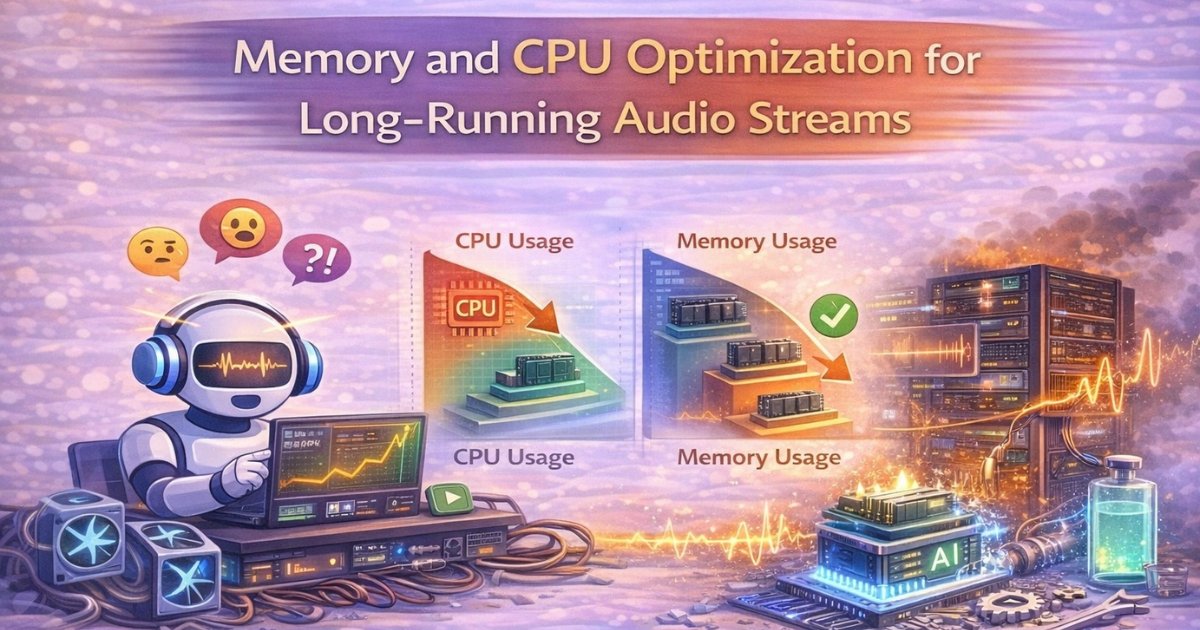
You have built a beautiful audio streaming service. It is elegant, functional, and for the first hour, absolutely perfect. Then things start to go sideways. Memory usage climbs. CPU fans spin faster. Your monitoring dashboard looks like a heart rate monitor during a horror movie. Welcome to resource leaks in long-running audio streams.
Here is the thing: handling a 30-second audio clip is easy. Your code could be held together with duct tape and optimism, and it would work fine. But long-running streams, whether they run for hours, days, or that one user who leaves their conference call running for an entire week, will expose every inefficiency like a blacklight in a cheap hotel room.
This article is your survival guide for building audio streaming systems that do not gradually consume all available resources. We will cover memory management, CPU optimization, garbage collection strategies, and how to keep your servers happy during marathon streaming sessions. And if you have ever wondered why latency feels so unpredictable in voice AI systems even when your code looks fine, a lot of it comes back to these same resource management questions. The end-to-end latency breakdown in voice AI systems is worth reading alongside this one.
The Memory Leak Hall of Shame
Let us start with the classics: the memory leaks that have quietly destroyed more streaming services than anyone would like to admit.
The Buffer Hoarder. You allocate a new buffer for every audio chunk. You process it. You forget to deallocate it. At 100 chunks per second, that is 32KB per second, 115MB per hour. Your 8GB server survives about 70 hours before the out-of-memory killer shows up like an angry bouncer.
The Reference Collector. In garbage-collected languages, you store references to processed audio chunks in a list "for debugging purposes." The garbage collector cannot clean them up because they are still referenced. You have created a museum of every audio frame you have ever processed.
The Context Accumulator. You are building models that need context, so you keep appending to a context buffer. Except you forgot to implement a sliding window. After six hours, your "context" is 2GB of audio history. You are not doing audio processing anymore. You are doing audio archaeology.
These patterns show up most painfully in pipelines doing real-time inference. If you are running noise suppression or speech recognition on your streams, the problem is compounded because those workloads are already resource-hungry by nature. The audio normalization problem that nobody talks about is a good example of how hidden processing overhead accumulates quietly before it becomes a crisis.
Memory Management: The Art of Letting Go
The first rule of memory optimization for long-running streams is simple: everything must die. Not your server. The objects in memory. They need a clear lifecycle: born, used, destroyed.
Buffer Pooling. Stop allocating new buffers for every chunk. Create a buffer pool at startup, say 1000 pre-allocated buffers. When you need a buffer, grab one from the pool. When you are done, return it. It is like a library system for memory. This pattern is beautiful because allocation is expensive. Every malloc() involves asking the operating system for memory, and there is overhead. Buffer pooling turns thousands of allocations per second into zero.
Circular Buffers. For context windows and frame buffering, use circular buffers with a fixed size. You need the last 10 seconds of audio? Allocate a buffer that holds exactly 10 seconds and never grows. New data comes in, old data gets overwritten. Clean, predictable, boring in the best possible way.
Weak References. When you must store references for session management or connection tracking, use weak references where possible. In Python, Java, or JavaScript, weak references allow the garbage collector to clean up objects even if your cache still references them.
Explicit Cleanup. In languages with manual memory management like C, C++, or Rust, use RAII patterns. Every resource gets an owner. When the owner goes out of scope, the resource dies automatically. No orphaned buffers, no forgotten allocations.
CPU Optimization: Work Smarter, Not Harder
Memory leaks are obvious. Memory usage goes up until something crashes. CPU inefficiency is sneakier. Your process might be running at 100% CPU and still functioning, but you are burning money and generating heat, and at scale those costs add up fast.
Vectorization. Modern CPUs have SIMD instructions that process multiple values simultaneously. If you are processing audio samples one at a time, you are leaving performance on the table. Use vectorized operations, NumPy in Python or Eigen in C++, to process 4, 8, or 16 samples per instruction. Audio processing is embarrassingly parallel at the sample level. SIMD turns your CPU from a single checkout clerk into a self-checkout system with eight machines running at once.
Branch Prediction. Modern CPUs predict which branch of an if-statement will be taken. When they are wrong, there is a performance penalty. In hot loops processing audio samples, avoid conditional branches where you can. Use lookup tables or arithmetic tricks to eliminate if-statements. For example, replace if (sample > threshold) process(sample); with process(sample * (sample > threshold));. Readable? Debatable. Faster? Absolutely.
Cache Locality. Your CPU cache is fast. Your RAM is slow. Process data in the order it is stored in memory. Sequential access is your friend. Structure your data so that everything needed for processing one chunk is stored together. Random jumps through memory create cache misses and quietly kill performance.
There is a broader conversation worth having about how inference architecture choices affect CPU load over long-running sessions. CPU-friendly audio inference techniques for scalable voice platforms goes deep on this and is genuinely worth the time, especially if you are running neural processing on your streams.
Garbage Collection: Making Peace with the Collector
If you are using a garbage-collected language like Python, Java, JavaScript, or Go, you cannot escape the garbage collector. It will run. It will pause your application. But you can absolutely minimize the pain.
Reduce Allocation Rate. The best garbage is the garbage you never create. Every object allocated must eventually be collected. Reuse objects, use buffer pools, and avoid creating temporary objects in hot paths.
Tune GC Parameters. Most GC implementations allow tuning. In Java, choose between throughput with G1GC and low latency with ZGC. In Python, disable GC in performance-critical sections and run it manually during idle periods. In Go, adjust GOGC to control collection frequency.
Generational Hypothesis. Most GC implementations use generational collection. Play along: create short-lived temporary objects that die quickly, and reuse long-lived objects. The category to avoid is medium-lived objects that survive multiple young collections but die before graduating to the old generation. Those are the ones that cause the most GC pressure.
Off-Heap Storage. In Java, consider off-heap storage via DirectByteBuffers for large audio buffers. They are not managed by the GC, so they do not contribute to collection pressure. The tradeoff is that you are doing manual memory management inside a garbage-collected language, which requires discipline.
The Downstream Cost of Resource Pressure
It is tempting to treat memory and CPU optimization as purely infrastructure concerns, separate from audio quality. But they are not separate at all. When your workers are under resource pressure, the first thing to degrade is the quality and consistency of your audio processing.
If you are running speech recognition on your streams, resource pressure leads to dropped frames, inconsistent context windows, and accuracy degradation. Handling noisy call center audio in speech recognition pipelines covers a lot of scenarios where input quality is already compromised, but even clean audio gets processed poorly when your workers are starved for memory or CPU cycles. Similarly, streaming ASR systems are especially sensitive to this because partial results depend on stable context, and a leaking context buffer is one of the fastest ways to corrupt your transcription quality.
On the synthesis side, if your TTS pipeline runs on the same infrastructure, resource contention will show up in output quality. How we measure voice naturalness in TTS makes the case that MOS scores alone miss a lot of quality degradation, and resource-induced inconsistency is exactly the kind of thing that shows up in listening tests but not in automated metrics.
The vocoder choice matters here too. Some neural vocoders are far more resource-intensive than others, and the tradeoffs between neural vocoders for production TTS systems are directly relevant if you are trying to run synthesis on a server that also handles long-running ASR streams.
Noise Processing Under Resource Constraints
One of the trickier scenarios in long-running streams is noise processing. Noise cancellation is computationally expensive, and it is also one of the first things that starts behaving badly when resources are constrained.
Why noise cancellation fails in complex acoustic environments covers the fundamental challenges, and many of those failures are made worse by resource starvation. When your noise suppression model cannot get consistent CPU time, the artifacts it introduces can actually degrade ASR accuracy more than the original noise would have. This is the core insight behind why aggressive denoising hurts ASR accuracy. Under resource pressure, aggressive denoising is a liability, not a feature. Knowing when to scale back is part of good system design.
Designing real-time noise suppression for telephony audio explores this from a design perspective, and the principles apply directly here. The architecture decisions you make about noise processing have direct implications for your memory and CPU budget over long sessions.
Profiling: Know Your Enemy
You cannot optimize what you cannot measure. Profile your application to find actual bottlenecks, not the ones you assumed were there.
CPU Profiling. Use sampling profilers like perf on Linux or Instruments on macOS to find hot functions. You will often be surprised. That innocent-looking helper function might be consuming 40% of your CPU time.
Memory Profiling. Track allocations over time. Tools like Valgrind for C and C++ or memory_profiler for Python show allocation patterns clearly. Look for allocations that grow linearly with time. Those are the leaks waiting to happen.
Flame Graphs. Visualize call stacks as flame graphs to see what your CPU is actually doing. Wide bars indicate functions consuming significant CPU time. Optimize those, not your assumptions about where the bottleneck must be.
Architecture Patterns for Long-Running Streams
Stateless Workers. Design workers to be stateless. Process one chunk at a time without maintaining session state. This enables horizontal scaling and eliminates memory accumulation. It also makes your workers much easier to reason about when something goes wrong.
Worker Rotation. Even with perfect code, memory fragmentation happens. Periodically restart workers gracefully. Process for 12 hours, drain connections, shut down, start fresh. Sometimes the most elegant solution is a clean slate.
Connection Time Limits. Implement maximum connection durations. After 24 hours, force clients to reconnect. This ensures session state gets cleaned up and any accumulated cruft gets cleared. Your long-running users will barely notice a reconnect if you handle it gracefully.
Memory Budgets. Assign memory budgets per connection. One connection gets 10MB maximum. If it exceeds that, disconnect it. Better to cleanly terminate one misbehaving connection than to let it quietly degrade service for everyone else.
These architectural patterns work best when your API is designed with them in mind from the start. Designing clean audio AI APIs that developers will not misuse is a useful reference here, because a well-designed API makes it much easier for clients to behave cooperatively with your resource management constraints. And the choice between REST and streaming APIs for voice workloads shapes your resource profile in fundamental ways. Streaming APIs give you much more control over memory lifecycle per connection, which matters enormously for long-running sessions.
Building Real Systems That Last
If you are building an audio AI system from scratch and want a solid foundation to start from, the quick-start guide to building your own TTS pipeline with FonadaLabs gives you a working baseline to stress-test. Likewise, if you are building speech recognition, building your own Indian language ASR covers the practical architecture decisions you will face.
One often-overlooked source of memory pressure in TTS pipelines is text preprocessing. Handling numbers, dates, and special characters in TTS might sound like a minor concern, but edge cases in text normalization can create disproportionately large intermediate representations that accumulate over long sessions. Worth keeping an eye on.
For multilingual pipelines, the complexity multiplies. ASR language identification and code-switching in Indian speech covers what actually works in practice, and the processing variability across languages and code-switching scenarios has real implications for how you size your memory budgets per connection.
Monitoring and Alerts
Track Memory Per Connection. Monitor average memory per active connection. If it grows over time, you have a leak. The pattern you want to see is memory stabilizing shortly after connection and then staying flat for the duration.
CPU Per Connection. Track CPU usage per connection consistently. Growing CPU per connection over time indicates accumulating work or redundant processing that needs investigation.
GC Metrics. Monitor garbage collection frequency and pause times. Set alerts for GC running more than 10% of the time or pause times exceeding 100ms. Either condition means your allocation patterns need attention.
If you are running evaluations on ASR quality, do not forget to run them under sustained load conditions, not just on clean short-session benchmarks. The accuracy numbers you get in a five-minute test can look very different from what your users experience in hour-long sessions when memory pressure starts affecting your processing pipeline.
Conclusion: The Marathon, Not the Sprint
Optimizing for long-running audio streams is fundamentally different from optimizing for short-lived requests. It is not about raw speed. It is about sustainability. Your system must maintain consistent resource usage over hours and days, and the discipline required for that is different from what most performance work demands.
The key principles are simple to state and genuinely hard to maintain: reuse everything, allocate nothing in hot paths, clean up religiously, profile constantly, and plan for the worst. Assume every stream will run forever and every tiny leak will eventually sink your ship.
When you finally see your memory usage flatline at a healthy level after 72 hours of continuous streaming, that is what engineering done right looks like. Your servers will thank you, your users will never know the difference, and your on-call rotation will be blissfully, wonderfully quiet.