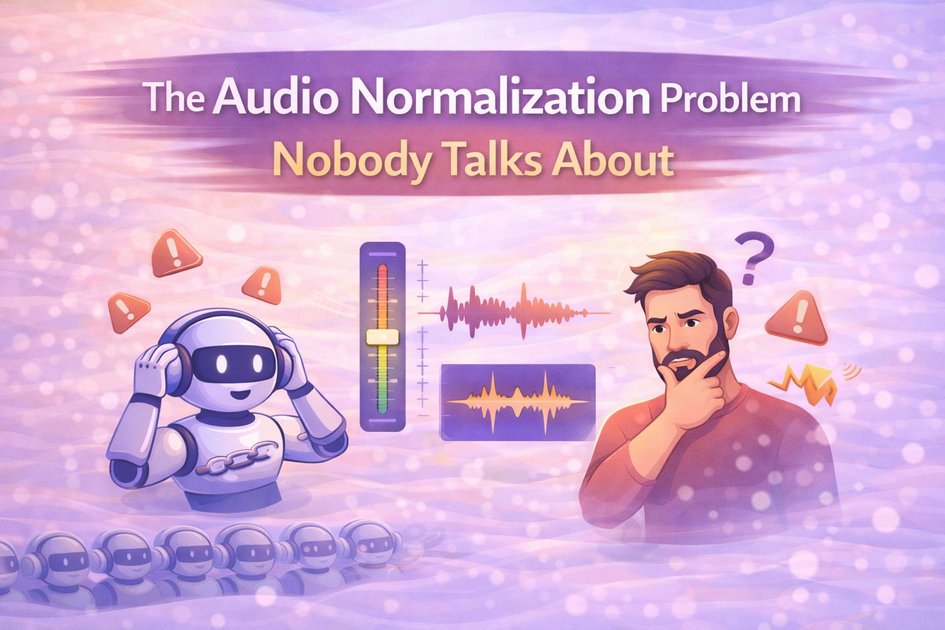
The Audio Normalization Problem Nobody Talks About
I'll analyze this blog post and add appropriate internal links. Here's the complete blog with internal linking:
Why Users Abandon Your Voice AI After 10 Seconds
Here's a scenario that's probably costing you users right now: someone calls into your AI-powered customer support system. The automated greeting blasts their eardrums at full volume. They pull the phone away instinctively. Then a human agent picks up, and suddenly they're straining to hear whisper-quiet speech. Within seconds, they're frustrated. Within a minute, they've hung up.
Or maybe it's your voice assistant. Responses swing wildly between barely audible and startlingly loud. Users constantly reach for volume controls, breaking their flow and destroying the conversational experience you worked so hard to build.
This isn't a minor annoyance. This is a fundamental failure that destroys user trust and drives abandonment. And the brutal truth? Users tolerate volume inconsistencies for about 10 seconds before they abandon interactions. In customer service, every abandoned call is lost revenue. In accessibility applications, inconsistent loudness isn't just annoying, it's a barrier to access.
Audio normalization might sound like a backend technicality that only audio engineers care about. It's not. It's the invisible foundation of professional conversational systems. Get it wrong, and users leave. Get it right, and they don't even notice, which is exactly the point.
Why Your Raw Audio Is Failing Users (Even When It Sounds Fine to You)
When you synthesize your speech or process audio, the levels that come out the other end vary greatly depending on things you've probably never thought about. The level emitted by your TTS program, say, to say "Hello" versus "EMERGENCY ALERT!", is drastically different without anyone adjusting caps or volume specifically, just based on vocal characteristics, pitches, and stress.
The technical truth that catches most developers out is that amplitude doesn't exactly correspond to loudness. This is not a semantic difference. It is the difference between good enough technical functionality and acceptable user experience.
Such a waveform may sound softer than a waveform peaking at -12 dBFS, only because its level is peaking at -6 dBFS instead of -12 dBFS. This is because integrated loudness is not perceived linearly; it's only the peaks that are linearly perceived. We are not integrating loudness; we are biological systems with complicated frequency curves and integrators.
This is why naive approaches fail. You can normalize every audio file to peak at the same level and still have wildly inconsistent perceived loudness. The "EMERGENCY ALERT!" example might have explosive plosive sounds that create sharp peaks, forcing the entire audio to scale down. Meanwhile, sustained vowel-heavy phrases with no sharp transients can be normalized much louder while having identical peak levels.
Your users don't care about your dBFS measurements. They care that your audio doesn't make them constantly adjust their volume.
LUFS: The Professional Standard Your System Probably Isn't Using
Peak normalization, scaling audio so the loudest sample hits a target level, is simple to implement. It's also terrible for conversational systems.
A single transient peak, like a sharp "p" or "t" sound, causes the entire audio to scale down, making sustained speech too quiet. You end up with audio that's technically normalized but perceptually all over the place. This is why podcasts edited with peak normalization sound amateurish, and why professional productions use something better.
LUFS (Loudness Units relative to Full Scale) is the ITU-standardized measurement that actually approximates human perception. It's what broadcasters use. It's what professional audio engineers use. And if you're building production voice systems, it's what you should be using.
LUFS applies frequency weighting that mimics human hearing sensitivity, considers gating to ignore silent passages that don't contribute to perceived loudness, and measures integrated loudness over time rather than instantaneous peaks. The difference is night and day.
Broadcasting standards specify -23 LUFS for television, -16 LUFS for podcasts and streaming content. For conversational systems like voice assistants, customer service bots, real-time voice interactions, you typically want to target -16 to -20 LUFS. Loud enough for clarity in real-world environments, but not so loud it causes listening fatigue during extended interactions.
The Real-Time Implementation Challenge (And How to Solve It)
Here's where theory meets reality, and where most implementations fall apart: conversational systems need to normalize audio in real-time, often while streaming, with minimal latency. You can't wait for a complete utterance to finish before measuring and normalizing. Users expect immediate responses.
Dynamic Range Compression: The Tool You're Probably Misusing
Dynamic range compression reduces the difference between quiet and loud parts of audio while preserving naturalness. The key word is "preserving." Too many implementations get this wrong.
Gentle compression with a 2:1 to 4:1 ratio maintains natural speech dynamics while controlling extremes. A whispered word stays relatively quiet; a shouted word stays relatively loud; but the gap between them shrinks to something manageable. This is what professional audio sounds like.
Too aggressive, say, 10:1 (or higher) and everything sounds squashed and lifeless. All the emotional content, all the natural dynamics that make speech feel human, gets crushed into a narrow band of sameness. Users can't articulate why it bothers them, but it does. The uncanny valley isn't just about robot voices; it's about robot dynamics.
Streaming Normalization: Making Progressive Audio Feel Seamless
When you're streaming TTS audio progressively over WebSocket connections, the way modern conversational systems actually work, each chunk must be normalized independently while maintaining consistency with previous chunks. This is harder than it sounds.
Naive implementations normalize each chunk in isolation. The result? Loudness jumps between chunks that make the audio sound choppy and amateurish. Professional implementations use stateful processing, tracking loudness history so chunk N+1 matches chunk N's profile seamlessly. The transition is invisible.
This requires careful engineering: maintaining running statistics, applying smoothing functions across chunk boundaries, and ensuring that normalization changes happen gradually enough that users don't perceive discontinuities. Understanding how to build low-latency TTS pipelines is essential for implementing these real-time normalization techniques effectively.
The Latency Problem and Its Solution
Measuring LUFS accurately across complete utterances requires waiting for the entire audio to finish. In real-time systems, this is unacceptable. Users expect responses to start within 200-300ms, not after seconds of analysis.
The solution is provisional normalization: analyze the first 500ms to estimate loudness, apply provisional normalization based on that estimate, then adjust gradually as more audio arrives. This introduces 100-200ms of latency, acceptable in conversational systems, rather than the multi-second delays that kill real-time feel.
The trick is making those adjustments smooth enough that users never notice them happening. Abrupt changes are jarring. Gradual adjustments that happen over 50-100ms? Imperceptible.
Multi-Speaker Consistency: The Problem That Breaks Conversational Flow
Conversational systems involve multiple speakers: the user, the AI assistant, maybe multiple agents or characters. Each speaker needs consistent self-loudness while being balanced relative to others. This is more nuanced than it seems.
Implement per-speaker normalization profiles so each speaker maintains their own consistent loudness characteristics. The assistant should always sound like the assistant at a predictable volume. The user should sound consistently like themselves. But when transitions happen, i.e. assistant to user and user back to assistant, those transitions need to feel smooth rather than jarring.
Poor multi-speaker normalization is instantly obvious to users, even if they can't articulate what's wrong. Great multi-speaker normalization is invisible. The conversation just flows.
Language-Specific Challenges That Generic Normalization Breaks
Different languages have fundamentally different loudness and dynamic characteristics. A one-size-fits-all normalization approach fails in subtle but important ways.
Tonal Languages and Semantic Meaning
Languages like Tamil and Telugu use pitch variations for semantic meaning. Aggressive compression can squash these meaningful pitch contours, literally changing word meanings. For tonal languages, you need gentler compression ratios and careful preservation of high-frequency dynamics that carry tonal information.
This isn't about being technically correct, it's about making sure your normalization doesn't accidentally change the meaning of what users are saying or hearing.
Code-Mixing and Dynamic Range Shifts
When users switch between Hindi and English mid-sentence, extremely common in Indian conversational contexts, loudness characteristics shift abruptly. English has more dynamic range; Hindi tends toward more compressed natural dynamics. Normalization needs to smooth these transitions without flattening everything into monotone mush.
Understanding code-mixed TTS challenges helps explain why proper normalization is even more critical in multilingual contexts.
Preserving Emotional Content
Users expressing frustration naturally speak louder. Empathetic responses are often softer. Overly aggressive normalization destroys these emotional cues, making interactions feel robotic and tone-deaf.
The key is normalizing loudness ranges while preserving relative dynamics within them. Compress the range, but don't obliterate the emotional information encoded in volume variations. This relates closely to measuring voice naturalness, where emotional appropriateness matters as much as technical quality.
The FonadaLabs Approach: Normalization at Every Layer
At FonadaLabs, audio normalization isn't an afterthought or a post-processing step. It's built into every layer of our platform because we understand it's foundational to professional conversational experiences.
Our TTS service delivers consistently normalized audio at 24kHz. Whether we're generating a single sentence or streaming 10-minute narration, loudness remains consistent without sounding artificially compressed. The dynamics feel natural, but the volume is predictable.
Our WebSocket streaming implementation maintains loudness consistency across progressive chunks, eliminating the jarring volume jumps that plague poorly implemented streaming systems. When you're listening to our TTS output, you never think about volume, it just works.
For our 22-language ASR system, we normalize incoming audio on-the-fly, automatically adjusting for quiet smartphone mics or booming conference room speakers. Users don't need to "speak up" or adjust their setup. The preprocessing handles it transparently, and recognition quality stays consistent regardless of input conditions.
Even our noise cancellation service preserves natural loudness characteristics while removing background noise. Denoised audio isn't just quieter, it's normalized to optimal loudness for further processing in the pipeline. When handling noisy call center audio, proper normalization becomes even more critical.
Best Practices: What Actually Works in Production
Stop treating normalization as an optional polish step. Here's what production-grade implementations look like:
Target appropriate levels for your use case. -16 to -20 LUFS works for most conversational content. But don't just set a number and forget it—test on real devices in real environments. What sounds perfect on studio monitors might be too quiet on phone speakers in noisy cafés.
Use multi-stage processing. Apply gentle normalization at multiple pipeline stages rather than aggressive normalization once. Each stage makes small corrections, preserving naturalness while achieving the final target. This is how professional audio post-production works, and it's how your voice system should work too.
Preserve dynamics within your target range. Maintain 6-12dB of dynamic range for expressiveness. Compression ratios of 2:1 to 4:1 strike the right balance between consistency and naturalness. Go harder than that, and you're destroying the human qualities that make speech engaging.
Monitor continuously in production. Log loudness metrics for every audio asset. Set alerts for outliers before users complain. Treat this like any other production metric—because it is one. Loudness consistency directly impacts user satisfaction and abandonment rates.
Implementing these practices requires CPU-friendly audio inference techniques to ensure normalization doesn't become a performance bottleneck at scale.
The Invisible Excellence That Defines Professional Systems
The best audio normalization is what users never notice. When every response comes at the right loudness, when speaker transitions feel natural, when users never reach for volume controls—that's success.
You can have perfect TTS synthesis with the most natural-sounding voices in the world. But if loudness varies wildly, users will hate it. They might not know why. They might not be able to articulate the problem. But they'll feel it, and they'll leave.
Professional audio engineering is what separates platforms users love from ones they tolerate. Because great conversations don't make you think about the technology. The audio just works, naturally and consistently, letting users focus on what actually matters: the conversation itself.
Natural, consistent audio isn't a luxury feature for voice systems. It's table stakes for anything claiming to be production-ready. And with proper implementation, it's just a few well-engineered pipeline stages away. Learn more about building your own TTS pipeline with professional-grade normalization built in from the start.