End-to-End Latency Breakdown in Voice AI Systems
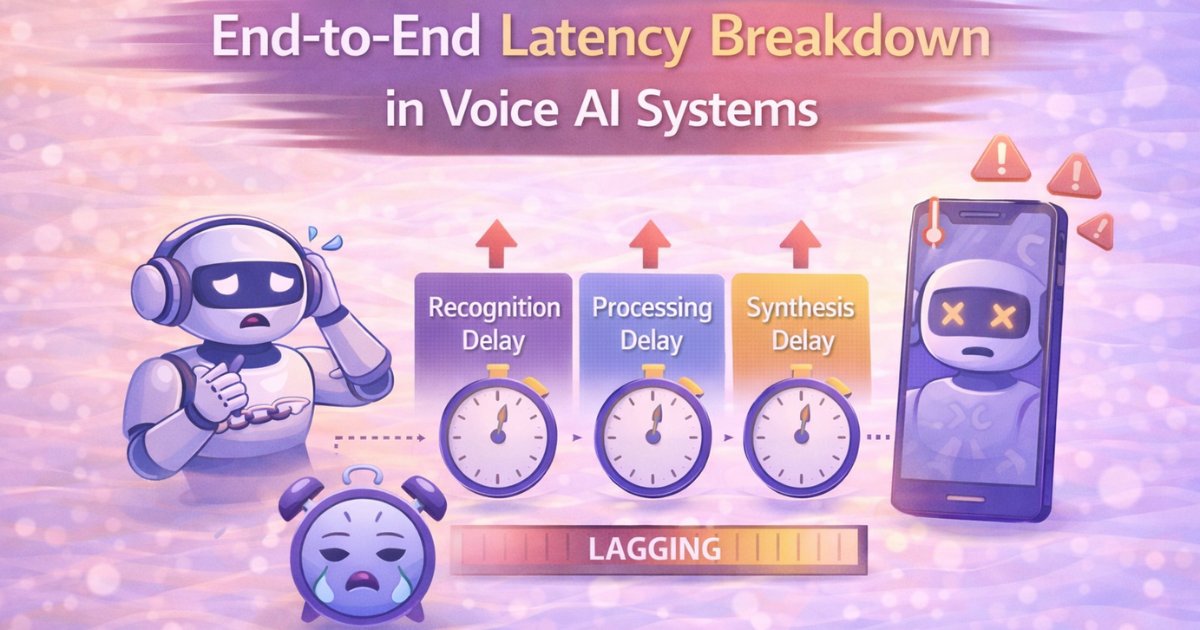
The 3-Second Death: Why Your Voice AI Feels Slow (And Where Every Millisecond Actually Disappears)
You ask your voice assistant a question. One second passes. Two seconds. Three. Finally, it responds.
That delay, barely noticeable in isolation, compounds across every interaction until users feel like they're communicating through molasses rather than having a conversation. And here's what kills me: most teams building voice AI have no idea where that time is actually going.
They blame "AI processing time." They assume the model is "thinking hard." They're wrong.
The uncomfortable truth is that most voice AI systems are slow not because the AI is computationally expensive, but because latency is hiding in unexpected places. Network hops, audio buffering, inefficient pipelines, and architectural choices one made months ago are silently killing your user experience. What's worse, unlike model quality-which you can iterate on-latency compounds. Every stage adds milliseconds, and those milliseconds add up to the difference between a system that feels conversational and one that feels broken.
Let me show you precisely where those precious milliseconds have gone, but more importantly, how to get them back.
The Hard Truth About Conversational Latency Budgets
Human conversation operates at specific rhythms. When someone asks you a question face-to-face, responding within 200-300ms feels natural and engaged. Beyond 500ms, the conversation starts feeling sluggish. Past 1000ms, there's an awkward pause that breaks flow.
Voice AI systems face even tighter constraints because they involve multiple processing stages that all consume time. Your total latency budget—from "user stops speaking" to "response audio begins playing"—should target under 800ms for genuinely conversational quality.
Under 800ms total. Not per stage. Total.
That's not generous. That's not a nice-to-have target for premium features. That's table stakes for voice experiences that don't frustrate users. And most systems I've seen are nowhere close.
The Complete Latency Chain: A Forensic Breakdown
Let's understand exactly where time disappears in a typical voice AI interaction. We are going to walk through every stage, the typical latency ranges, and the mistakes that make each stage worse than it needs to be.
Stage 1: Voice Activity Detection (VAD) - 100-300ms
Your system needs to recognize when the user has stopped talking before it can start transcribing. This seems like a minor matter. It isn't.
Naive implementations determine the user is finished after a predetermined amount of silence, usually 500–1000 ms. You haven't processed a single audio sample yet, and you've just wasted half of your latency budget waiting.
Smart VAD separates endpoint silence (finished speaking) from natural pauses (thinking pause, mid-sentence breath) using acoustic models. By doing this, detection times are shortened to 100–200 ms without running the risk of interrupting users in the middle of a sentence.
However, with an overall budget of 800ms, even 200ms is important. Because of this, the most effective systems employ streaming VAD, which continuously updates confidence as new audio is received and makes probabilistic endpoint decisions in real-time.
Stage 2: Audio Upload & Network Transfer - 50-200ms
Your audio must travel from the client device to your processing servers. On excellent networks—fiber, low-latency 5G—this takes 20-50ms. On cellular networks or congested WiFi? Easily 100-200ms. Sometimes worse.
But here's where naive implementations make it catastrophic: they buffer the entire utterance before uploading. A user speaks for 3 seconds. The system waits for the full 3 seconds to complete, then uploads. You've added 3 seconds of artificial latency for no reason.
Streaming protocols solve this by sending audio chunks as they're captured—typically in 100-200ms segments. The server receives and begins processing audio while the user is still speaking. This is the difference between adding 50ms of network latency versus adding seconds.
Stage 3: Speech-to-Text Processing - 100-500ms
Many teams find that their "state-of-the-art" model is actually a latency disaster because ASR latency varies greatly depending on architecture.
Prior to transcribing, older RNN-based ASR models must process the entire utterance in a sequential manner. They are architecturally incompatible with low-latency requirements, even if they are accurate.
Modern streaming ASR models transcribe incrementally, producing partial results in real-time. Transformer-based ASR typically needs 100-200ms to finalize transcription of a 3-second utterance.
But here's where things get tricky: if you're batching requests to improve throughput (common in production systems), waiting to accumulate a batch adds 50-200ms. And cold start issues, when a model or container spins up for the first time, can add another 500-1000ms on the first request.
That first-request latency might be hidden in your averages, but users experience it, and it feels terrible.
Stage 4: Business Logic & API Calls - 100-1000ms+
Here's where latency often explodes, and it's entirely under your control.
Your system might query databases to fetch user context. Call external APIs for information retrieval. Perform authentication checks. Execute business logic that requires multiple data sources.
A single database query averaging 50ms becomes 500ms when the database is under load or network conditions degrade. Three sequential API calls at 100ms each waste 300ms that could be parallelized. A poorly indexed database query that "usually" returns in 80ms occasionally takes 3 seconds, and users remember those experiences.
The variability is the killer. Your average case might be 100ms, but your P95 (95th percentile) could be 2000ms. Users judge your system by worst-case performance, not averages. That occasional slow experience defines their perception.
Stage 5: Response Generation - 100-800ms
If you're using LLMs for response generation, this stage often dominates your latency budget. Large language models can take 500ms to 2 seconds to generate responses, depending on response length and model size.
Even with streaming output, generating tokens progressively rather than waiting for complete responses, first-token latency is often 200-400ms. That's the time from "I have the user's question" to "I've generated the first word of my response."
Template-based responses, by contrast, are nearly instant (10-20ms). But they lack the flexibility and naturalness of LLM-generated responses. You're trading latency for quality, and that trade-off shapes your entire product experience.
Stage 6: Text-to-Speech Synthesis - 100-400ms
TTS converts your response text into audio. Quality TTS models typically need 100-200ms for short responses (a sentence or two), and 300-500ms for longer responses.
But here's where architectural choices make massive differences. Batch TTS—synthesizing the entire response before sending any audio—adds the full synthesis time to your latency. For a 10-second response, users wait 400ms before hearing anything.
Streaming TTS begins sending audio chunks while still synthesizing the rest. Users hear audio starting within 100ms while the backend continues generating. The perceptual difference is enormous—users perceive the system as responding instantly even though total synthesis time is identical.
Stage 7: Audio Download & Playback - 50-200ms
Synthesized audio must travel back to the client and begin playback. Network conditions matter, but buffering strategies matter more.
Waiting for the complete audio file before playing adds unnecessary latency. Streaming playback can start within 50-100ms of receiving the first audio chunks, often while the TTS system is still synthesizing later portions of the response.
But many implementations over-buffer "for smoothness"—accumulating 500ms or even 1 second of audio before playback starts. You've just added half a second of latency that users directly perceive as delay.
The Hidden Latency Killers Nobody Talks About
Beyond the obvious processing stages, there are architectural decisions that silently destroy latency. These are the ones that don't show up in individual component benchmarks but devastate end-to-end performance.
Synchronous Sequential Processing
The naive architecture processes each stage sequentially: wait for VAD → upload audio → transcribe → generate response → synthesize speech → download audio → play.
This is simple to implement and reason about. It's also catastrophically slow.
Pipelining—starting stage N+1 before stage N completes—recovers hundreds of milliseconds. Start transcribing the first audio chunks before the user finishes speaking. Begin generating responses from partial transcriptions. Start synthesizing audio from partial LLM outputs.
Each pipeline optimization saves 100-300ms, and they stack. This is the difference between 2000ms end-to-end latency and 600ms.
Cold Start Penalties in Serverless Architectures
Serverless architectures are popular for their operational simplicity and cost benefits. They're also latency disasters for conversational systems.
The first request to a cold function might take 2-5 seconds while containers spin up, models load into memory, and initialization code runs. Subsequent requests on warm containers take 200ms. That 10x variance in latency creates unpredictable, frustrating user experiences.
For latency-critical paths, you need dedicated instances with models kept warm, or you need cold start optimization strategies that pre-warm containers before user requests arrive. This is where CPU-friendly audio inference techniques become crucial—CPU instances have much faster cold start times than GPU instances.
Inefficient Protocol Choices
HTTP request-response cycles add overhead on every interaction. Each request involves TCP handshake, TLS negotiation, HTTP header parsing, and response handling. Even with keep-alive connections, you're adding 20-50ms of protocol overhead per request.
WebSockets maintain persistent bidirectional connections, eliminating handshake latency on subsequent messages. For conversational systems with multiple back-and-forth exchanges, this saves 50-100ms per response. Across 10 turns of conversation, that's a full second saved just from protocol choice.
Geographic Distance Between Users and Servers
A cross-continental round trip, user in India, servers in US East—adds 150-300ms of network latency. Physics is undefeated. Light only travels so fast through fiber optic cables.
Regional deployments place servers geographically close to users, reducing network latency to 10-30ms. For global products, this isn't optional—it's the difference between a system that feels responsive and one that feels like you're talking to someone on a satellite phone.
Real-World Optimization Strategies That Actually Work
Theory is useless without actionable strategies. Here's what actually moves the needle in production systems.
Stream Everything, Everywhere, All At Once
Stream audio upload from client to server. Stream ASR output as partial transcriptions. Stream LLM generation token-by-token. Stream TTS synthesis in progressive chunks. Stream audio playback.
Each conversion from batch to streaming saves 100-300ms. Five streaming conversions in your pipeline save 500-1500ms total. That's the difference between a system that feels broken and one that feels magical.
Parallelize Aggressively
Every sequential operation is an opportunity to save time by running things in parallel. Run ASR and VAD endpoint detection simultaneously—they're processing the same audio. Start natural language understanding on partial ASR results before transcription completes. Begin TTS synthesis on partial LLM outputs. Parallelize independent API calls.
Sequential execution is easier to implement, but it's also 2-3x slower than properly parallelized pipelines.
Optimize Models for Latency, Not Just Quality
A model with 98% accuracy that takes 800ms is worse for conversational systems than a model with 95% accuracy that takes 200ms. Users notice latency more than they notice marginal quality differences.
Quantized models, distilled models, and smaller architectures often deliver acceptable quality at 3-5x speed improvements. For latency-critical applications, this trade-off is almost always worth it. Understanding trade-offs between neural vocoders helps make informed decisions about speed versus quality.
Measure What Actually Matters
Don't measure average latency. Measure P95 and P99 percentiles. A system averaging 300ms but hitting 2000ms for 5% of requests feels broken to users. They remember the slow experiences, not the fast ones.
Instrument every stage individually. Know exactly where your latency lives. Is it network transfer? Model inference? Database queries? You can't optimize what you don't measure.
And test in realistic conditions—cellular networks, congested WiFi, peak server load. Your development environment on gigabit fiber doesn't represent user reality. When handling noisy call center audio or designing real-time noise suppression for telephony, latency constraints become even tighter.
Why This Matters More Than You Think
In conversational AI, latency isn't a performance metric you optimize after shipping. It's foundational to whether users perceive your system as natural or robotic, responsive or frustrating.
A 2-second delay feels like talking to someone who's distracted or slow. A 500ms delay feels conversational. That perceptual difference determines adoption, retention, and whether users recommend your product or warn others away.
End-to-end latency in voice AI is death by a thousand cuts. No single stage kills you in isolation, but ten stages each adding 200ms creates a 2-second disaster. The solution isn't heroic optimization of one component, it's disciplined attention to every stage.
For multilingual systems, the challenge compounds. Code-mixed TTS adds complexity to the synthesis pipeline, while Indian language ASR challenges like accent robustness and language identification can increase processing time if not optimized carefully.
The Path Forward: Building for Speed From Day One
Stream everything possible. Parallelize aggressively. Measure constantly. Optimize for P95, not averages. Deploy close to users geographically. Choose architectures that prioritize latency from day one, not as an afterthought.
Because in conversational AI, speed isn't a feature you add later. It's the foundation of usability. A voice assistant that takes 3 seconds to respond isn't just slow—it's unusable. A voice assistant that responds in under 500ms isn't just fast—it's conversational.
The difference between those two experiences is entirely under your control. It's not about expensive hardware or cutting-edge models. It's about architectural discipline, measurement rigor, and refusing to tolerate death-by-a-thousand-cuts latency.
Build for latency from the start, or spend months retrofitting later. Those are your options. Choose wisely. Learn how to build your own TTS pipeline with low-latency architecture baked in from the beginning, and ensure you're evaluating ASR beyond WER to capture the real-time performance metrics that matter for conversational AI.